
The client loves the design. The colors pop, the layout is clean, and the animations are smooth. Yet, weeks after launch, the sales numbers remain stubbornly flat. This scenario represents the fundamental gap between beautiful design and effective design. As a freelance UI designer, your true value isn’t just in creating visually appealing interfaces; it’s in crafting digital experiences that guide users toward a specific, measurable action. This is the world of conversion-centered design. Consequently, this guide will equip you with the mindset and methodologies to transition from a pixel-pusher to a strategic partner. We will explore practical UX principles, psychological triggers, and measurable strategies that prove your work directly impacts the client’s bottom line. Therefore, let’s explore how you can design not just for admiration, but for action.
The Mindset Shift: From Decorator to Business Partner
To truly excel as a freelance UI designer, you must first reframe how you see your role. You are not a digital artist hired to make things “look nice.” Instead, you are a problem-solver whose medium is the user interface.
Every button, every color choice, and every piece of white space should serve a strategic purpose. That purpose is to remove friction, build trust, and guide the user to complete a goal, whether that’s making a purchase, signing up for a newsletter, or requesting a quote. When you adopt this mindset, your conversations with clients change. You stop talking about “vibes” and start discussing metrics like conversion rate, bounce rate, and average order value. This shift positions you as an indispensable investment, not just a cost.
Speaking the Language of Business
Your clients care about one thing above all else: growth. Consequently, you must learn to connect your design decisions to business outcomes.
Instead of saying, “I think we should use a blue button,” you can say, “Based on principles of trust and clarity, a high-contrast blue button in this position is proven to attract attention and increase click-through rates, which should directly lead to more sign-ups for your service.” This approach demonstrates that your work is backed by strategy and research, not just personal preference.
Core UX Principles for Driving Conversions
Several foundational UX principles form the bedrock of conversion-focused design. Mastering these will become your superpower as a freelance UI designer.
1. Clarity and Visual Hierarchy
The user should never have to guess what to do next. Your primary job is to make the desired action blindingly obvious.
How to apply it: Use size, color, and spacing to create a clear visual path for the eye. The most important element on the page, he “Buy Now” button or the lead capture form, should be the most prominent. Furthermore, eliminate any unnecessary elements that compete for attention. If it doesn’t help the user make a decision, it’s probably hurting your conversion rate.
2. Building Trust Through Design
Users will not convert on a website they don’t trust. Your design choices are critical in establishing credibility within milliseconds.
How to apply it: Incorporate trust signals seamlessly into your UI. This includes displaying security badges near payment forms, showcasing client logos, using real photographs instead of generic stock art, and ensuring a professional, polished aesthetic. Consistency in typography and spacing also subconsciously communicates reliability and attention to detail.
3. Frictionless Forms and Flow
Every extra field in a form, every confusing instruction, and every unnecessary page in a checkout process is a point where a user can abandon their task.
How to apply it: As a freelance UI designer, your goal is to make forms as painless as possible. Use single-column layouts, provide clear labels and error messages, and only ask for essential information. Implementing progress trackers for multi-step processes can also reduce anxiety and show users how close they are to completion. For more on creating seamless user journeys, explore our guide on gillibilli.shop.
Practical Techniques for the Conversion-Focused Designer
Let’s translate these principles into actionable design techniques you can implement in your next project.
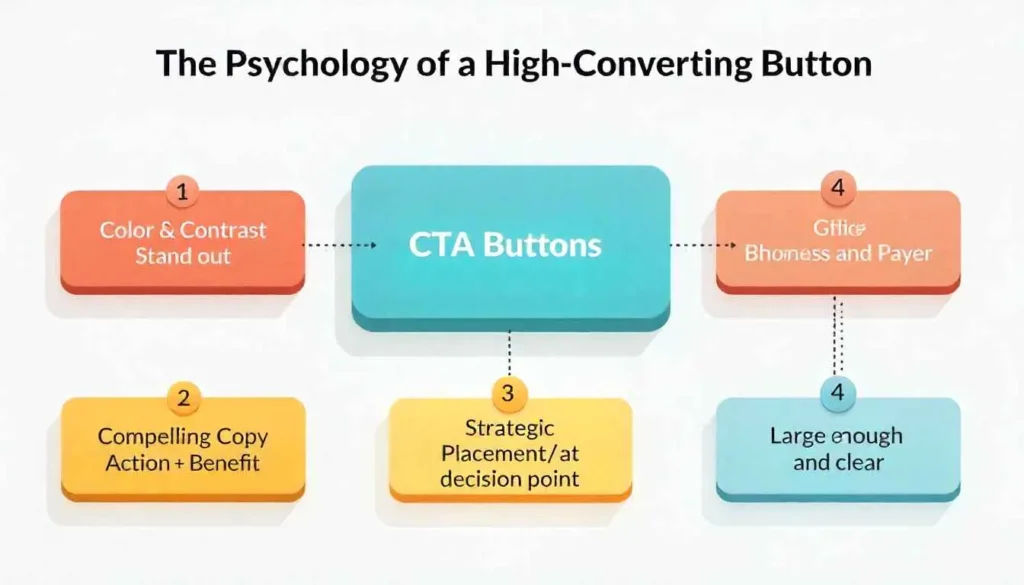
The Anatomy of a High-Converting CTA
The Call-to-Action is the climax of your design. A weak CTA can undo all your previous work.
- Copy: Use action-oriented, benefit-driven text. “Get My Free Guide” is better than “Submit.” “Start My Free Trial” is better than “Sign Up.”
- Color and Contrast: Your CTA button should stand out from the rest of the color palette. Use tools to check contrast ratios to ensure accessibility and visibility.
- Placement: Position CTAs where users naturally look and at decision points. The “fold” is a myth; users will scroll, but a primary CTA should be visible without scrolling.
Leveraging Social Proof in UI
People are influenced by the actions of others. You can design social proof into the interface to nudge users toward conversion.
- Live Updates: “26 people are viewing this hotel right now.”
- Testimonial Integration: Weave short, powerful testimonials directly into the layout, complete with photos and names.
- Notification Bells: Subtle, non-intrusive pop-ups that say, “Someone from [City] just purchased [Product].”
The Power of Scarcity and Urgency
These psychological triggers can motivate users to act now rather than later.
- Low-Stock Notices: “Only 3 left in stock!”
- Countdown Timers: For limited-time offers or cart expiration.
- Visual Indicators: A progress bar showing how many spots are left in a webinar.
Important note: Use these tactics ethically and truthfully. Fake scarcity erodes trust instantly.
Measuring Success and Proving Your Value
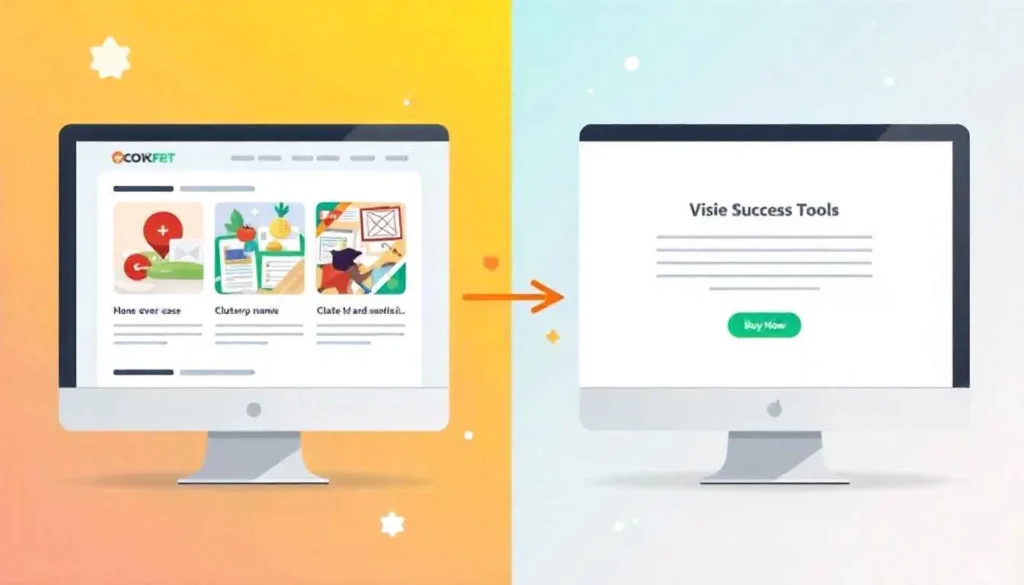
A strategic freelance UI designer doesn’t just deliver mockups and disappear. You partner with the client to measure the impact of your work.
Before starting a redesign, establish key performance indicators (KPIs). What metric are you trying to move? Is it the checkout completion rate? The number of demo requests?
Use tools like Google Analytics, Hotjar, or Microsoft Clarity to gather baseline data. Then, after launch, compare the new data against the old. This “before and after” analysis is your most powerful tool for demonstrating ROI. It transforms your design from a subjective opinion into an objective business improvement. For more about Designing for Conversion: How Freelance UI Designers Can Boost Client Sales, visit Outvise.
Conclusion: Designing with Purpose and Impact
In conclusion, the modern freelance UI designer is a hybrid of artist, psychologist, and strategist. By embracing a conversion-focused mindset, you move beyond aesthetics to create designs that have a tangible, positive impact on your client’s business. You stop being a vendor and become a valued partner. The techniques outlined here, from mastering visual hierarchy to ethically leveraging psychological triggers, provide a framework for this evolution. Therefore, challenge yourself on your next project. Ask not just “Does this look good?” but “Does this work hard?” Your ability to answer that second question with data and confidence is what will separate you in a crowded marketplace and build a truly successful, impactful career.
All images are generated by Freepik.
Frequently Asked Questions (FAQs)
A UI designer focuses on the visual touchpoints a user interacts with (the look and feel), while a UX designer focuses on the overall user journey and experience. For conversion, they work together: UX maps the path to conversion, and UI designs the signposts and buttons that make the journey intuitive and compelling.
Frame the discussion around Return on Investment (ROI). Explain that a 1% increase in their conversion rate can lead to a significant revenue boost. Use case studies and examples to show how specific design changes have positively impacted similar businesses.
Common mistakes include: confusing navigation, hidden or weak calls-to-action, long and complicated forms, slow loading times, and a lack of mobile optimization. Additionally, using vague microcopy (like “Click Here”) instead of clear, action-oriented text is a frequent error.
While coding isn’t mandatory, a basic understanding of HTML and CSS is incredibly valuable. It helps you design with technical constraints in mind, communicate more effectively with developers, and ensure your conversion-optimized designs are implemented correctly.
The gold standard is A/B testing (or split testing). This involves creating two versions of a page (Version A with the original design, Version B with your new design) and showing each to a segment of users to see which one performs better. Tools like Google Optimize make this accessible.