
You know that feeling when an app feels intuitive, even joyful, to use? Everything is right where you expect it. Tasks flow smoothly. That sensation isn’t an accident. It’s the direct result of a meticulous UI/UX design process. This structured approach transforms a rough idea into a refined, effective, and successful product. Conversely, when an app is confusing and frustrating, it usually means this process was skipped. So, let’s pull back the curtain. We’ll walk through each phase of a proven UI/UX design process that builds not just products, but passionate user advocates.
What is the UI/UX Design Process?
First, let’s clarify what we’re discussing. The UI/UX design process is a systematic framework for designing digital products. It focuses entirely on the user’s journey and experience. Essentially, it’s a roadmap that guides teams from a vague concept to a polished, user-validated interface.
Many people confuse UI and UX. Here’s a simple breakdown:
- User Experience (UX) Design is the internal experience a user has with a product. It’s about the overall feel, flow, and functionality. Is it easy to use? Does it solve my problem?
- User Interface (UI) Design is the visual, interactive part of the product. It’s the buttons, icons, spacing, and color schemes. Is it aesthetically pleasing?
Therefore, a successful UI/UX design process seamlessly blends both. It ensures the product is not only beautiful but also intuitive and effective. According to a study by the Design Management Institute, design-driven companies have outperformed the S&P Index by 211% over a decade, proving the immense value of this discipline.
The Core Phases of a Proven UI/UX Design Process
While every project is unique, most follow a similar path. This journey ensures no critical detail is overlooked. Consequently, the final product is both technically sound and deeply human-centered.
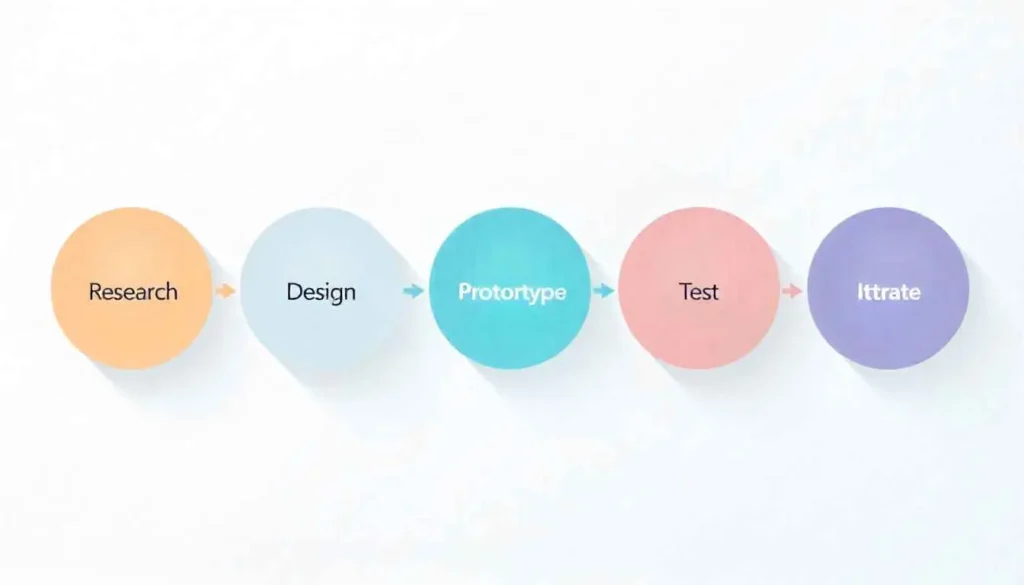
Phase 1: Strategy and Research, The Foundation
Every great design begins with understanding. This initial phase is about asking “Why?” before we decide “How.” Skipping this step is like building a house without a blueprint.
Key activities here include:
- User Research: We conduct interviews and surveys to understand the target audience’s pain points, goals, and behaviors.
- Competitive Analysis: We examine competing products to identify market gaps and opportunities for differentiation.
- Defining Business Goals: We align the project’s objectives with key business metrics to ensure it drives value.
Ultimately, this research phase creates a clear strategy. It answers the fundamental question: Who are we building for, and what problem are we solving for them?
Phase 2: Design and Prototyping, Bringing Ideas to Life
With a solid strategy in place, we move into the creative heart of the UI/UX design process. This is where abstract ideas take tangible form.
Information Architecture and Wireframing
First, we structure the content. We create sitemaps and user flows to outline the product’s structure. Then, we build wireframes. These are simple, skeletal layouts that focus on space allocation and functionality, devoid of color or graphics. Think of them as the architectural blueprints for your app or website.
Visual Design and Prototyping
Next, we apply the visual layer. Using the wireframes as a guide, UI designers introduce the brand’s color palette, typography, and visual elements. Meanwhile, we create interactive prototypes. These are mid-to-high-fidelity mockups that simulate the final product’s functionality. Tools like Figma or Adobe XD allow users to click through the prototype, providing a realistic feel of the final experience before any code is written.
Phase 3: Testing and Validation, Ensuring Usability
A design is only good if it works for the user. This phase is all about validation and refinement. It’s the quality control checkpoint of the UI/UX design process.
We employ several testing methods:
- Usability Testing: We observe real users as they interact with the prototype, identifying any points of confusion or friction.
- A/B Testing: We present different design versions to see which one performs better for a specific goal.
- Feedback Integration: We gather and synthesize all feedback to identify patterns and prioritize revisions.
This iterative cycle of designing, testing, and refining continues until the design is intuitive, accessible, and meets the user’s needs effectively. For more on creating user-centric strategies from the ground up, explore our guide on gillibilli.shop.
Phase 4: Implementation and Handoff, Collaborating with Developers
Once the design is validated, it’s time to prepare it for development. This handoff is a critical collaboration point.
Designers create detailed style guides and design systems. These documents ensure visual consistency across the entire product. Furthermore, we use tools that generate specs, assets, and code snippets for developers. This clear communication prevents misinterpretation and ensures the final build matches the designed vision perfectly.
Phase 5: Post-Launch and Iteration, The Never-Ending Process
The launch of the product is not the end of the UI/UX design process. It’s simply the beginning of a new cycle.
After launch, we monitor real-world analytics and user feedback. How are people actually using the product? Are they getting stuck? We use this data to plan future iterations and updates. Therefore, a great product is never “finished”; it continuously evolves based on user needs and technological advancements.
For more on creating user-centric strategies explore UX Design Institute.
Conclusion: Building Better Products, Together
A structured UI/UX design process is not a luxury; it’s a necessity for creating successful digital products. It replaces assumptions with evidence and guesswork with clarity. This user-centered approach minimizes risk, saves resources, and ultimately builds products that people not only use but genuinely love. By investing in this process, you’re not just designing a product, you’re crafting an experience that builds loyalty and drives lasting success.
All images are generated by Freepik.
Frequently Asked Questions (FAQs)
UX Design focuses on the overall feel and user journey of a product, ensuring it is logical and easy to use. UI Design focuses on the visual elements and interactive properties, ensuring the interface is aesthetically pleasing.
The timeline varies significantly based on project scope and complexity. A simple mobile app might take 4-8 weeks, while a complex enterprise platform could require 4-6 months or more for a thorough process.
User research provides crucial insights into the target audience’s real needs and behaviors. Without it, designs are based on assumptions, which often leads to products that fail to resonate with users.
A design system is a collection of reusable components, guidelines, and standards. It promotes visual consistency, speeds up the design and development process, and ensures a cohesive brand experience across all touchpoints.
Success is measured through key metrics like user engagement, task completion rates, conversion rates, and user satisfaction scores (e.g., Net Promoter Score). A reduction in user support tickets is also a strong indicator of a successful design.
Pingback: The Psychology Behind Great UI/UX Design: What Clients Really Pay For