
That first message from a new client hits your inbox. There’s a thrill, quickly followed by a flutter of anxiety. How do you take this initial spark of an idea and transform it into a polished, successful final product? The secret doesn’t lie solely in raw talent. It lives in a reliable, repeatable process. A clear workflow is what separates stressed freelancers from thriving creative professionals. It builds trust, manages expectations, and ensures you deliver exceptional work every single time. This guide will walk you through a proven, 8-step design process that you can adapt for any project. We will cover the essential tools, templates, and real-world examples you need to streamline your work and impress your clients.
Why a Structured 8 Step Design Process is Your Secret Weapon
You might think that structure stifles creativity. In reality, the opposite is true. A well-defined 8-step design process actually liberates you. It provides a clear framework, so you are not wasting mental energy wondering what to do next. Consequently, you can focus all your creative power on solving the design problem itself. This methodology also makes you appear incredibly professional to clients. They can see you have a solid plan, which builds confidence and makes them easier to work with. Ultimately, this process minimizes revisions, prevents scope creep, and protects your time and sanity.
The Proven 8 Step Design Process for Freelancers
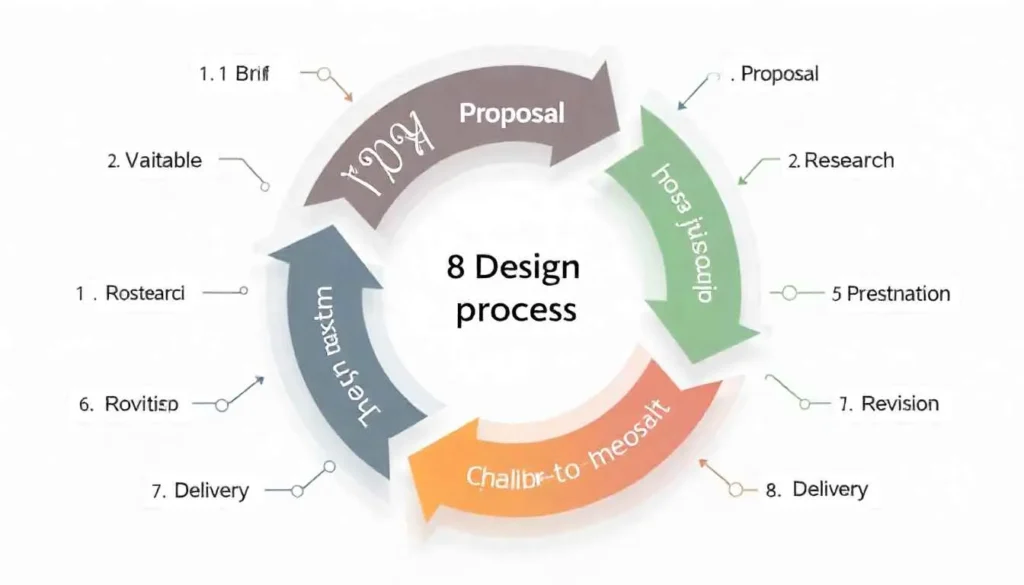
Follow these eight steps to navigate any design project with clarity and confidence. This is your blueprint for success.
Step 1: The Deep Dive, Dissecting the Client Brief
This is the most critical step. A misunderstanding here can derail the entire project. Your goal is to move beyond surface-level requests and uncover the core problem your design needs to solve.
- Key Questions to Ask: What is the primary goal of this project? Who is the target audience? What key action should the user take? What are your biggest competitors doing?
- Tool to Use: A shared Google Doc or a dedicated tool like gillibilli.shop can help you gather all this information in one place.
- Real Example: A client asks for a “modern logo.” Instead of just accepting that, you discover their real goal is to appeal to a younger demographic and stand out from their traditional competitors. This insight completely shifts your creative direction.
Step 2: Proposal & Agreement, Setting the Foundation
Now, you formalize everything. Create a clear proposal that outlines the project scope, deliverables, timeline, number of revisions, and total cost. Once approved, this becomes your contract.
- Tool to Use: Platforms like Bonsai or Hello Bonsai are excellent for generating professional proposals and contracts.
- Real Example: Your proposal states, “This package includes the delivery of three initial logo concepts and two rounds of revisions.” This prevents a client from asking for a tenth revision later on.
Step 3: Research & Discovery, Building Your Knowledge Base
Immerse yourself in the client’s world. Analyze their industry, their competitors, and their audience. This step fuels your creativity with data and insight, not just guesswork.
- Tool to Use: Create a mood board using Pinterest or Miro to visually capture brand aesthetics, colors, and styles that feel right for the project.
- Real Example: For a wellness app, you research color psychology and discover that blues and greens evoke feelings of trust and calm, perfect for the brand’s message.
Step 4: Strategy & Planning, Mapping the User Journey
Before you open your design software, you need a plan. For many projects, this means creating a sitemap for a website or a user flow for an application. You are designing the blueprint.
- Tool to Use: Use Whimsical or FigJam to create quick, clean flowcharts and wireframes.
- Real Example: For a website redesign, you map out how a user will travel from the homepage to the contact page. This ensures the navigation is logical and intuitive before you spend time on visual design.
Step 5: Conceptualization & Creation, The Design Sprint
This is where the magic starts to become visible. You translate your strategy into tangible design concepts. Create multiple options to explore different directions.
- Tool to Use: Figma or Adobe XD are industry standards for UI/UX and screen design, while Adobe Illustrator is perfect for logos and vector graphics.
- Real Example: You present three logo concepts: one that’s bold and modern, one that’s classic and elegant, and one that’s playful and illustrative. This gives the client clear choices and shows your range.
Step 6: Presentation & Collaboration, Sharing Your Work
How you present your work is as important as the work itself. Explain your design decisions and how they solve the problems identified in Step 1.
- Tool to Use: A presentation mode in Figma, or a simple PDF with annotated explanations, works well. Frame your choices around the client’s goals.
- Real Example: Instead of saying, “I made the button blue,” you say, “I used this contrasting blue for the ‘Sign Up’ button to draw the user’s eye and increase conversions, as we discussed.”
Step 7: Revision & Refinement, Incorporating Feedback
Feedback is a gift, but it needs to be managed. Refer back to the agreed number of revisions in your contract. Consolidate all client feedback into a single document to avoid confusion.
- Tool to Use: Use the commenting features in Figma or InVision to keep feedback specific and tied directly to the design element.
- Real Example: A client says, “I don’t like this font.” You ask, “What about the font isn’t working? Is it not legible enough, or does it not feel professional?” This guides the feedback toward a solution.
Step 8: Final Delivery & Asset Handoff, Closing the Loop
The finish line! Deliver all final files in the formats you promised. Organize them logically and provide a simple guide on how to use them.
- Tool to Use: Google Drive or Dropbox for file delivery. Zeplin or Figma’s inspect feature for handing off developer assets like colors and spacing.
- Real Example: You send a ZIP file containing the final logo in PNG, JPG, SVG, and AI formats, along with a one-page PDF specifying the brand colors and fonts.
Essential Tools to Power Your 8 Step Design Process

While the process is key, the right tools make it smooth. For communication, Slack or Zoom is essential. When it comes to project management, Trello or Asana can help you track each stage. Meanwhile, Google Drive or Dropbox is non-negotiable for file storage and backup. Investing in a good tool stack is an investment in your own efficiency. For more about The Freelance Design Workflow: Your Roadmap from Client Brief to Final Delivery, explore Superside.
Streamlining Your Success with an 8 Step Design Process
A great design workflow is more than a checklist; it’s the foundation of a sustainable and enjoyable freelance career. It transforms chaotic projects into predictable, manageable endeavors. This 8-step design process gives you the confidence to lead your clients, not just follow their orders. It builds your reputation as a reliable expert who delivers quality on time. The structure frees you to do your best creative work, knowing that every detail is accounted for. Now that you have a system for your client work, why not apply that same structured thinking to your own brand?
All images are generated by Freepik.
Frequently Asked Question
Politely explain the purpose of each step. For example, you can say that skipping research and strategy often leads to more revisions later, which ultimately costs more time and money. A good process protects both of you.
The biggest mistake is not having a signed agreement before starting work. This leads to scope creep, payment issues, and misunderstandings. Always get everything in writing.
It’s standard to include two rounds of revisions in your initial price. This sets a clear boundary for the client and prevents an endless cycle of changes. Any additional revisions should be billed at an hourly rate.
Absolutely. This 8 step design process is a flexible framework. Whether you’re designing a logo, a website, or a brochure, the core principles of briefing, research, creation, and delivery remain the same.
After your core design software (like Figma), a project management tool like Trello is most critical. It helps you stay organized, meet deadlines, and present a professional front to clients from day one.
Pingback: The Interior Design Project Manager: Your Guide to a Flawless Creative Process